Some Tools for Daggerheart GMs

I dabble with computers, professionally, and have spent some of my hobby time recently building some software that might (might!) benefit the community. This post is to share those tools.
First up is my tool for converting your owned PDFs of adversaries into Markdown. For example, if you have the Daggerheart SRD, or if you purchased a bunch of adversaries from somewhere else (like this one or this one, which are both wonderful), you might want to convert them to a different format so you can use them in your Obsidian vault or in some other system that you use.
What I've done is written a Python script (I've also bundkled a clickable graphical UI) that will convert your owned PDFs into individual Markdown files, 1 per adversary. I found this really convenient! This tool doesn't create any content; it just converts what you have into a different format. If you're someone who uses Obsidian or Notion for your prep, you might find that useful.
Here's what it looks like:
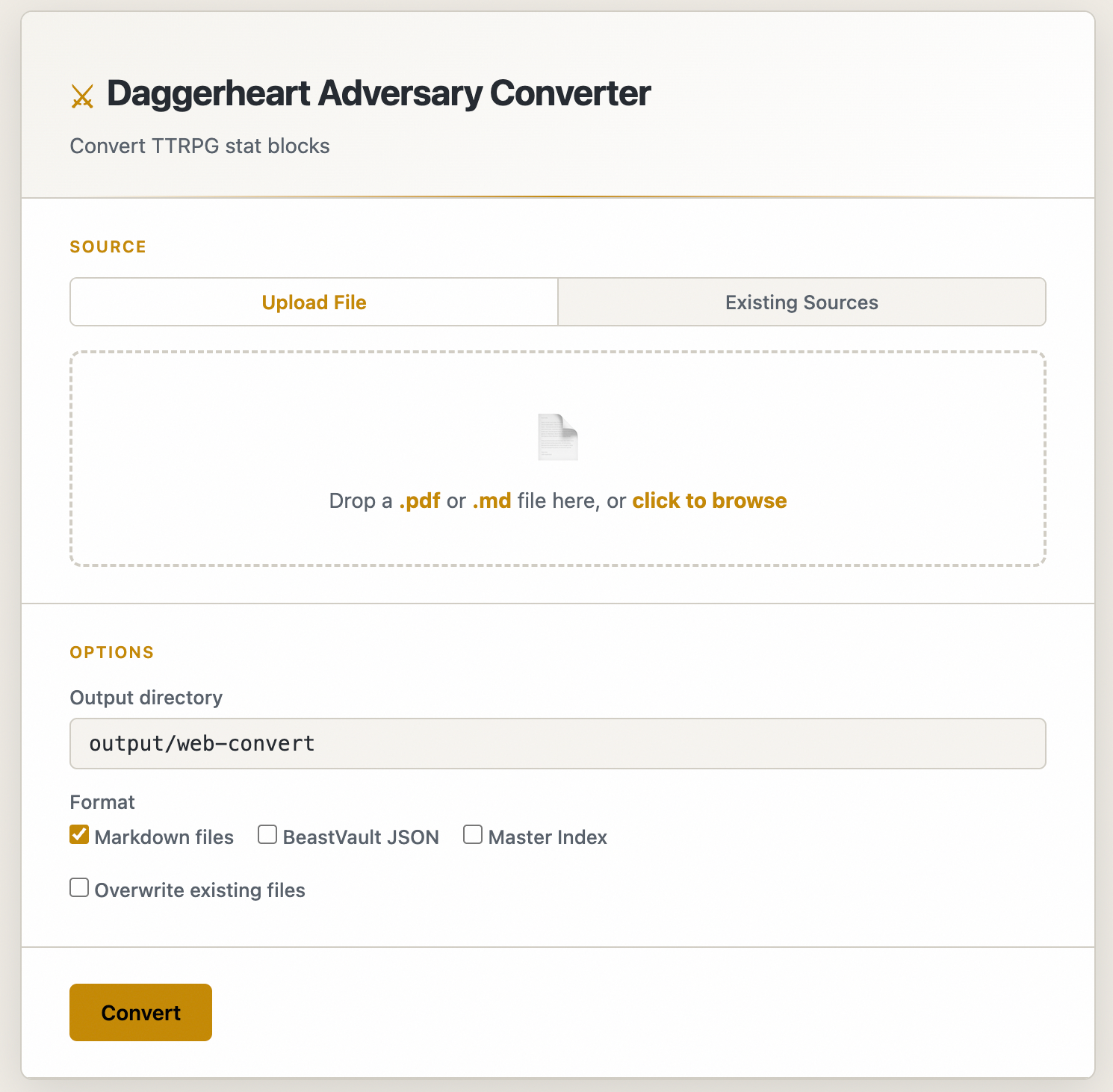
Crucially, this tool runs locally on your computer. Nothing is ever sent to any cloud service or provider. There is no tracking code. I don't know when or how you use it.
I've tested it on the Daggerheart SRD, the bonus PDFs Darrington put out, and a few 3rd party products. The output looks like this, in individual .md files, for each adversary in the PDF.
CAUSTIC FUNGUS
Tier 1 Minion
The underbrush of the Screaming Forest has a hive mind of
its own.
Motives & Tactics: Swarm, destroy armor
Difficulty: 12 | Thresholds: | HP: 1 | Stress: 1
ATK: +0 | destroy armor
FEATURES
Corrosive - Passive: Targets who are successfully hit by the Fungus’ attacks must also mark an Armor Slot without receiving its benefits.
Group Attack - Action: Spend a Fear to choose a target and spotlight all Caustic Fungus within Close range of them. Those Minions move into Melee range of the target and make one shared attack roll. On a success, they deal 2 physical damage each. Combine this damage.
Source: Age of Umbra Adversaries, p. 2
Enjoy!
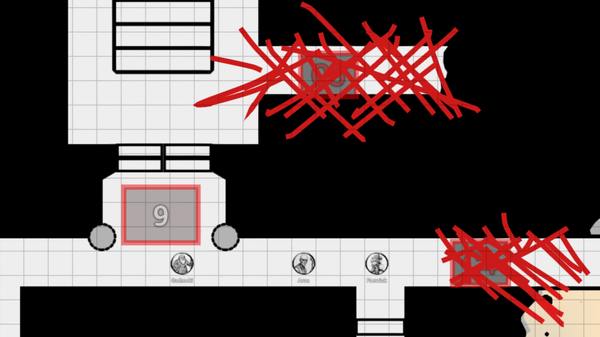
This one is for my VTT enthusiasts. I run my Daggerheart game on Owlbear Rodeo, which is a wonderful VTT if you're into the simple life. I wanted a way to track stats like HP, Armor, Stress, and Hope inside the VTT. I didn't find any good ways of doing it on tokens, so I built one.
I forked Owl Trackers and a bunch of other open-source stuff, so I'm of course indebted to that community for their code. You can see here that it tracks the numbers of the various stats for both NPCs and PCs. You can change the values, hide NPC stats from PCs.
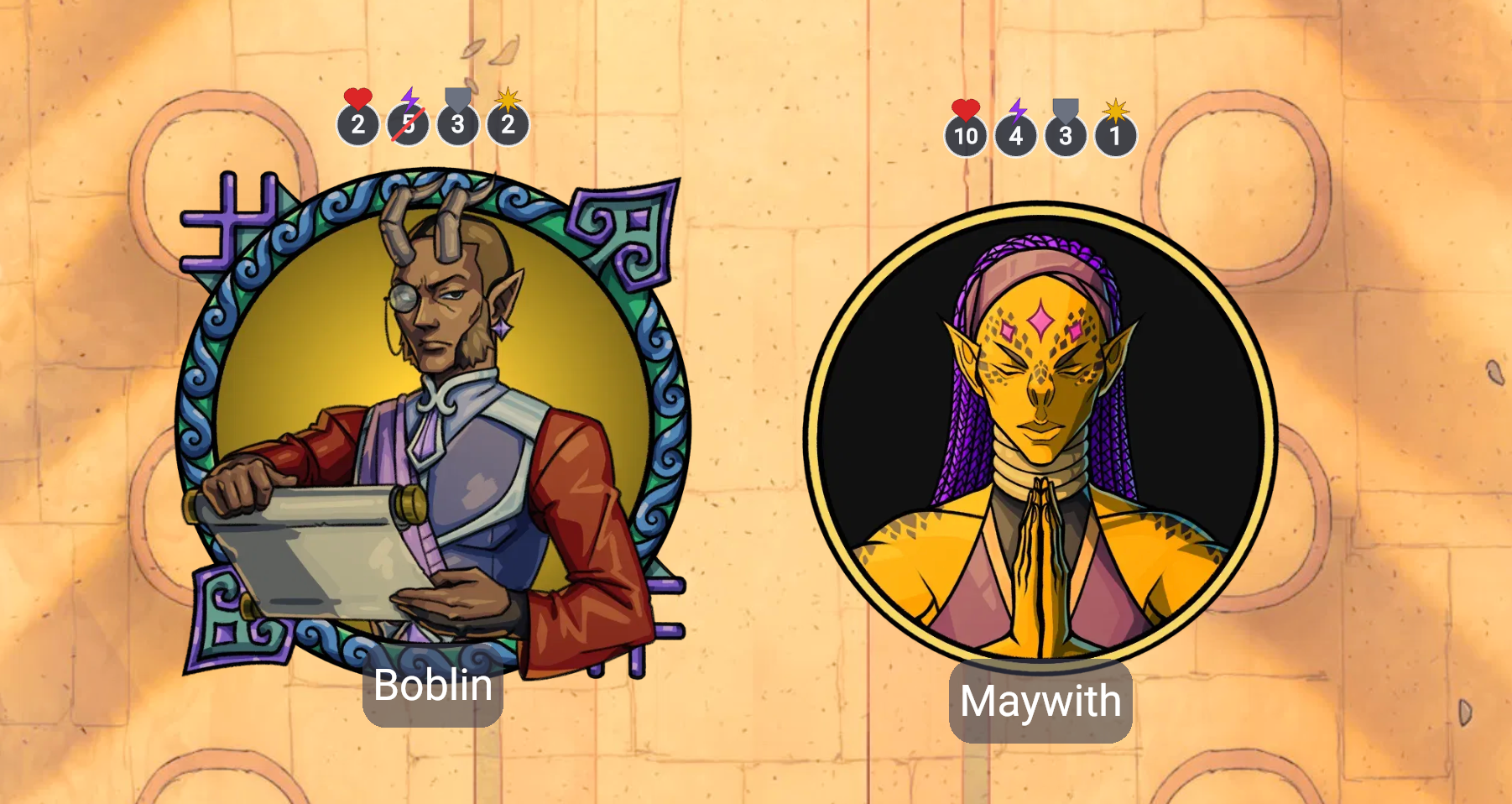
I tried doing it with squares, which are the way the stats are tracked in the character sheets. I used little mark things that you can mark off, but it got really unwieldy graphically. When you resize tokens, the boxes resized weirdly and took up a lot of screen real estate, so that didn't feel right.
The numbers were a little bit more readable, so that's why I went with the graphic design that's there. I'm hosting it on GitHub, so you're welcome to install it using the manifest.json, or you can self-host it if you want to, because that's kind of my jam.
Those are the two I want feedback on right now!
I'm also working on SessionScribe, an app you install on your computer that records your Discord session and transcribes it using a local speech recognition model (whisper.cpp). Again, nothing is sent to the cloud. No APIs are called, and nothing is given to any SaaS provider. It's all happening on your machine only. It also saves the audio files to your PC. That one's not quite ready yet; I'm working with some early alpha testers to try to get it up and running.
Anyway, this post is already nearly 700 words. Too long! Goodbye! Enjoy!